

Autoptimize series all scripts and styles,minifies and compresses them,adds expires headers,and caches them.it also moves styles to the page head and scripts to the footer.
This WordPress plugin even minifies the html code itself,making your page extremely lightweight.
Follow the steps:
1. Log into your wordpress admin panel.
2. Hover your mouse over “plugins” and click ” Add New “.
3. In search box type ” Autoptimize ” and click ” search plugin .”
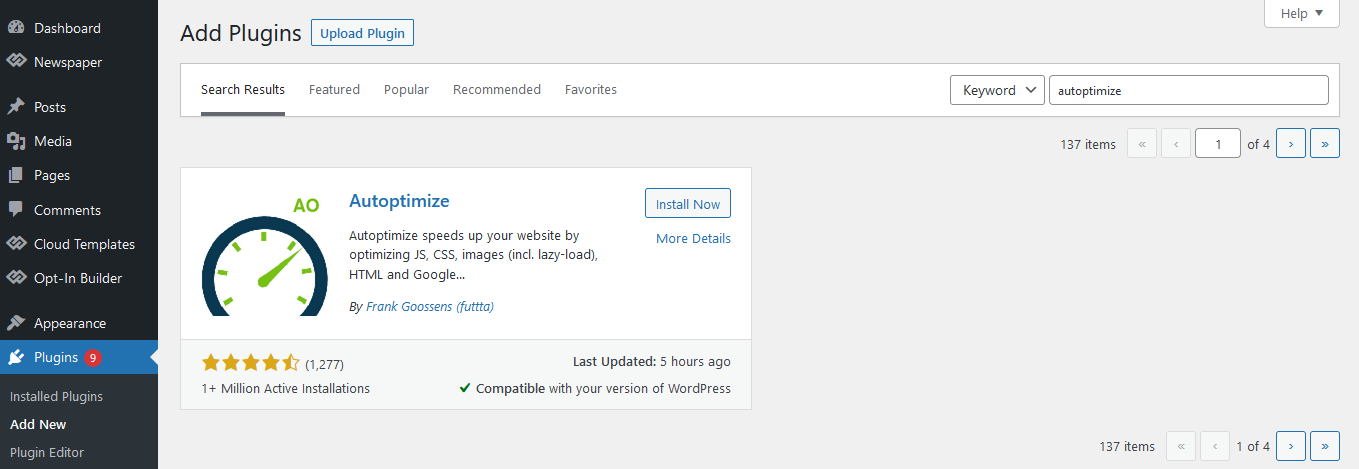
4. Click install Now. After the plugin is installed,click ” Activate Plugin .”
5. Navigate to ” settings -> Autoptimize “.
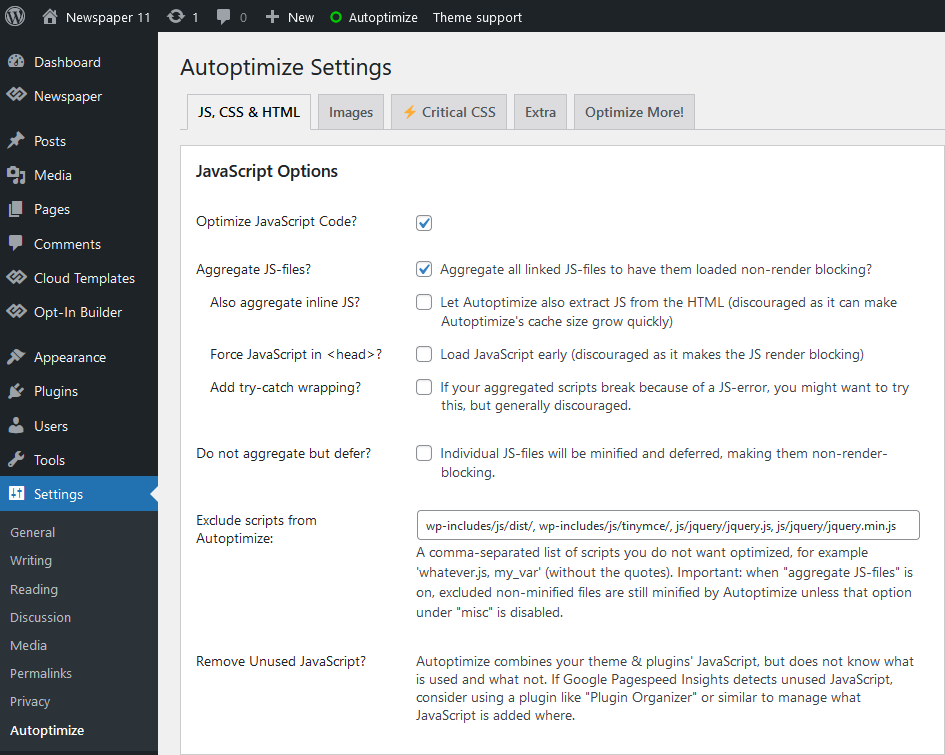
6. Click on the ” Show advanced settings ” button.
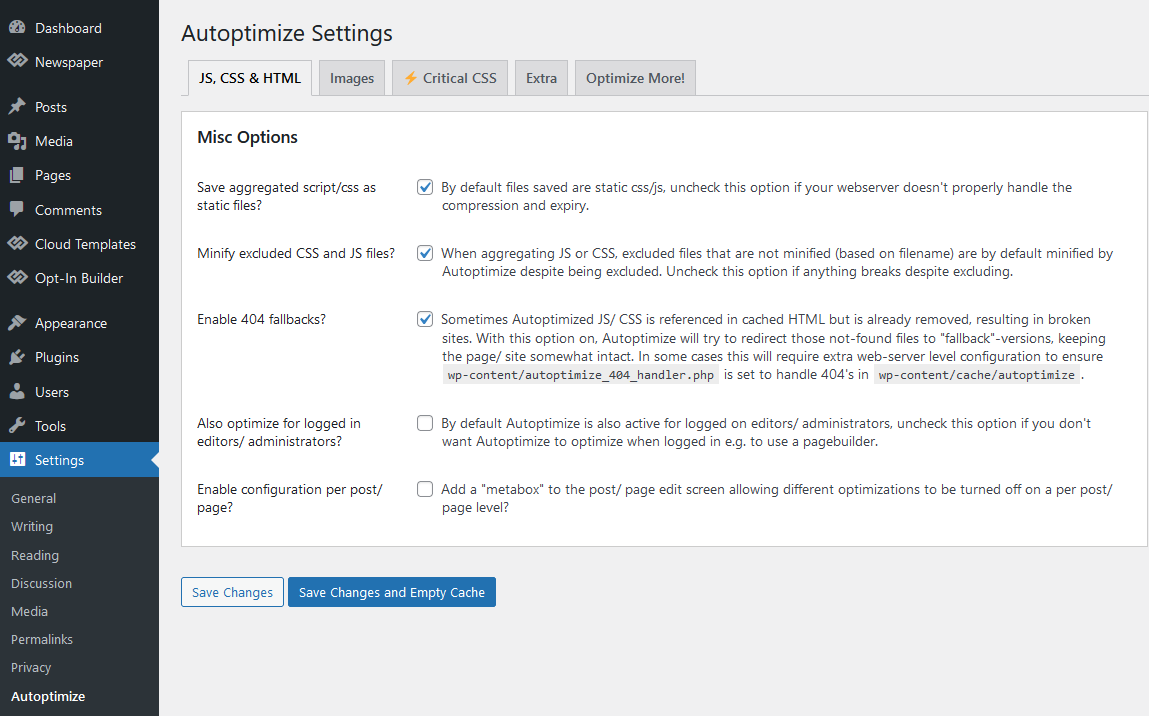
7. In the HTML section , enable ” Optimize HTML Code” and ” Keep HTML comments “.
8. In the ” Java Script options ” section, enable “Optimize Javascript code ” and ” Force javascript in head.” If your .js breaks to script error , you can try enabling ” Add try cache wrapping ” as well.
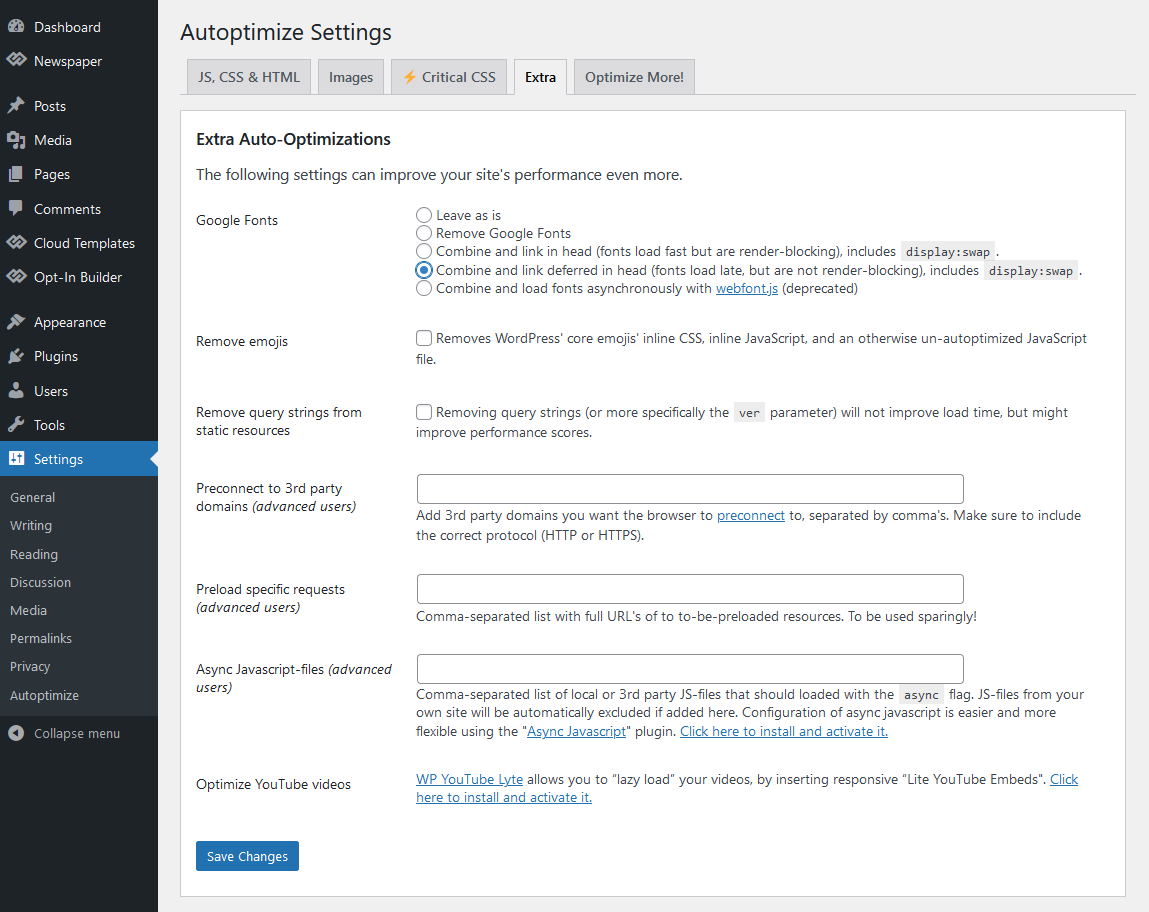
9. In the css options section, enable ” Optimize css code.”
10. Click on the ” Save changes and Empty Cache ” button.
