
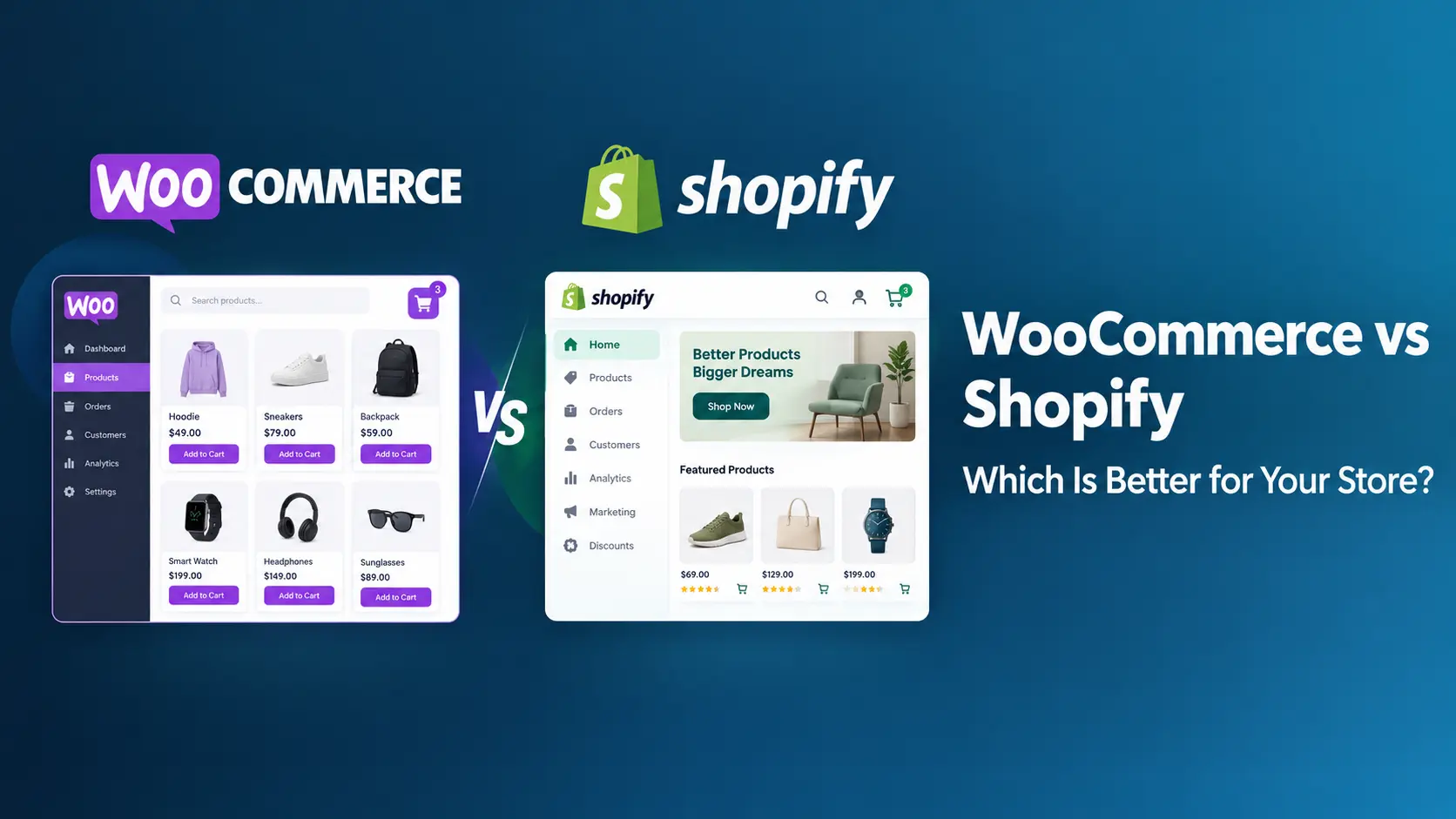
Choosing between WooCommerce and Shopify affects more than how you launch your online store. It influences your ongoing costs, customization options, search engine optimization (SEO), maintenance responsibilities, and how easily your business can change as it grows.
WooCommerce vs Shopify is not a question with one universal winner. WooCommerce gives you control over a WordPress-based store, while Shopify provides a hosted commerce platform with much of the technical infrastructure managed for you. The right choice depends on your budget, technical resources, business model, and growth plans.
At WesternDeal Web Solution, we work with WordPress and WooCommerce projects. This guide compares the two platforms across the factors worth evaluating before you commit.
WooCommerce vs Shopify: The Quick Answer
- Choose WooCommerce if you want ownership and flexibility, already use WordPress, need custom functionality, or want to manage your hosting and technology stack yourself.
- Choose Shopify if you prefer a managed platform, want to launch with fewer technical decisions, and would rather have the platform provider handle hosting and core infrastructure.
Both can support successful online stores. The better platform is the one that fits your team’s capabilities and the actual needs of your business—not simply the one with the lowest advertised starting price.
What Is the Difference Between WooCommerce and Shopify?
WooCommerce is an open-source ecommerce plugin for WordPress. It adds online-store functionality to a WordPress website, including products, cart, checkout, orders, shipping and payment integrations. You choose your hosting, theme and extensions, and you can work with a developer to customize the store.
Shopify is a hosted ecommerce platform. Its subscription includes the core store platform and hosting, with themes and apps available to customize the storefront and add functionality. Shopify manages much of the underlying infrastructure, so store owners generally have fewer server-level responsibilities.
In practical terms, WooCommerce offers more direct control over the website and its technical stack. Shopify reduces the amount of infrastructure you need to manage. Neither approach is automatically better: the trade-off is control versus convenience.
WooCommerce vs Shopify: Comparison Table
| Factor | WooCommerce | Shopify |
|---|---|---|
| Platform model | Open-source plugin for WordPress | Hosted ecommerce platform |
| Core platform cost | WooCommerce core is free; hosting and other costs are separate | Paid subscription plans |
| Hosting | You choose and manage the hosting provider | Included in the platform plan |
| Setup | More choices to configure; developer help may be useful | Generally quicker for a standard store |
| Customization | Extensive access to WordPress, plugins, code and APIs | Themes, apps and supported platform customization |
| SEO | Flexible control over WordPress content, plugins and technical setup | Strong built-in basics, with some platform-specific URL constraints |
| Maintenance | You or your provider manage WordPress, themes, plugins, backups and security | Shopify manages core hosting and platform infrastructure |
| Payments | You select a compatible payment provider and pay its processing fees | Payment processing fees apply; third-party transaction fees may also apply depending on plan and payment setup |
| Best fit | Stores needing ownership, flexibility or custom workflows | Businesses prioritizing a managed platform and simpler operations |
How Much Does WooCommerce Cost?
The WooCommerce core plugin is free to download and use, and WooCommerce does not charge a platform subscription or take a share of store revenue. However, running a store still costs money. You may need to budget for:
- Hosting and domain: Choose hosting that can support your store’s traffic, product catalog and checkout requirements.
- Design: A free theme may be enough to start, while a premium theme or custom design adds cost.
- Extensions: Subscriptions, bookings, advanced shipping, memberships and other specialist features may require paid extensions.
- Payment processing: Your payment provider charges processing fees. Rates vary by provider, country, payment method and transaction type.
- Development and maintenance: Custom work, updates, backups, security checks, performance optimization and troubleshooting require time or professional support.
WooCommerce can be cost-effective, especially when you can use existing WordPress infrastructure and only add the features you need. But free core software does not mean the total cost of ownership is zero. Review the official WooCommerce pricing information and estimate your own hosting, extension, payment and maintenance costs.
How Much Does Shopify Cost?
Shopify uses paid subscription plans. The amount you pay depends on your country, billing cycle, selected plan and any additional apps or services. In the United States, the official pricing page lists Basic, Grow and Advanced plans with different monthly and annual billing rates; prices and offers can change.
Beyond the subscription, consider:
- Apps: Some store features are provided by paid apps with recurring fees.
- Themes: Free themes are available, while premium themes may cost extra.
- Payment processing: Card processing rates depend on your plan and payment setup.
- Third-party transaction fees: These may apply when you use an external payment provider instead of Shopify Payments, depending on your plan and location.
- Custom work: A developer may still be needed for theme changes, integrations or requirements beyond standard features.
Shopify’s managed hosting and infrastructure can make costs easier to plan, but paid apps and transaction charges can add up. Check the official Shopify pricing page for the current rates in your market before making a decision.
Which Platform Is Easier to Set Up?
Shopify is usually easier for a first-time store owner who wants to avoid technical setup. You create an account, choose a theme, add products, configure payments and shipping, and test the checkout. Hosting and core platform infrastructure are managed for you.
WooCommerce gives you more choices, which can mean more setup work. A typical launch includes selecting hosting, installing WordPress and WooCommerce, choosing a theme, configuring products and taxes, setting up shipping and payments, and testing the entire order process.
A simple store can be launched on either platform relatively quickly. The timeline grows when you need custom design, product migration, complex shipping rules, integrations or unusual checkout behavior. If you want help planning and building a WooCommerce store, see our WooCommerce development services.
Which Platform Is Better for SEO?
Both WooCommerce and Shopify can rank in search results. Rankings depend on content quality, technical implementation, site performance, internal linking, product information, competition and other factors—not the platform alone.
WooCommerce SEO strengths
- Works with WordPress publishing and content workflows.
- Supports SEO plugins and flexible control over metadata, structured data and many technical settings.
- Provides access to hosting, caching and server configuration through your chosen provider.
- Can be adapted for specialized content structures and ecommerce requirements.
Shopify SEO strengths
- Provides hosting and a number of technical SEO basics out of the box.
- Generates important store infrastructure such as sitemaps and canonical tags.
- Reduces the need to manage server-level performance and security settings yourself.
Shopify uses fixed URL structures for certain resource types, such as product and collection URLs. WooCommerce, running on WordPress, offers more flexibility over permalink structures, although URL changes still need careful planning. WooCommerce’s flexibility is useful when you need more control, but it does not guarantee better rankings. A poorly maintained WooCommerce store can perform worse in search than a well-managed Shopify store.
Whichever platform you choose, prioritize useful product descriptions, category pages that help shoppers, fast mobile experiences, crawlable navigation, accurate structured data and a clear internal-linking strategy. For help with technical and on-page optimization, explore our website SEO services.
Which Platform Offers More Customization?
WooCommerce is built on WordPress and open-source software, so developers can extend store behavior through plugins, themes, custom code and APIs. This is useful for custom pricing rules, tailored checkout flows, specialized product types, business-to-business workflows and integrations with external systems.
Shopify offers themes, apps, APIs and supported customization tools. Its ecosystem can make common additions straightforward, but customization must work within Shopify’s platform rules and available extension points. Paid apps can also introduce recurring costs or dependencies.
For stores with unusual requirements or a broader WordPress content strategy, WooCommerce may provide the flexibility needed. For stores that can operate comfortably within Shopify’s features, its app ecosystem may be all they need.
Maintenance, Security and Performance
Shopify manages core hosting and platform infrastructure, which reduces the number of technical tasks store owners need to handle. You still need to maintain your store’s content, review app permissions, choose trustworthy apps and monitor the storefront experience.
With WooCommerce, you or your hosting and development provider are responsible for WordPress, plugin and theme updates, backups, access controls, security monitoring and performance. These tasks should be part of the operating budget—not something to consider only after a problem occurs.
Neither platform is automatically faster or more secure in every situation. Shopify provides a managed foundation; WooCommerce can be optimized extensively, but its performance depends on hosting, configuration, extensions and implementation quality.
Which Platform Scales Better?
Both platforms can support growing stores, but the way they scale is different.
Shopify reduces infrastructure management as traffic and sales increase, though plan limits, app costs and platform constraints still matter. WooCommerce can scale through suitable hosting, caching, database optimization and a well-designed architecture, but you or your provider need to plan and maintain those components.
Evaluate your expected traffic, catalog size, order volume, integrations and internal technical resources. For a growing business, the right platform is the one that can meet your operational needs without creating unnecessary complexity or cost.
When Should You Choose WooCommerce?
WooCommerce may be the better fit if:
- Your website already runs on WordPress or content marketing is central to your business.
- You need custom features, specialized integrations or control over the technical stack.
- You want to choose your hosting and payment providers.
- You have a developer, agency or internal team to handle maintenance.
- You want to build workflows around your store data or connect WooCommerce with other business tools.
When Should You Choose Shopify?
Shopify may be the better fit if:
- You want a managed ecommerce platform and fewer infrastructure decisions.
- You need to launch a standard store quickly.
- You prefer the platform provider to manage core hosting and platform updates.
- Your products and workflows fit the available themes, apps and supported customization options.
- You would rather spend less time managing technical operations and more time on merchandising, sales and marketing.
Can You Migrate Between WooCommerce and Shopify?
Yes. Stores can migrate from Shopify to WooCommerce or from WooCommerce to Shopify, but a migration needs more planning than copying product data. Depending on the store, you may need to transfer products, variants, customers, order history, images, metadata, content and URL mappings.
To reduce disruption, inventory your existing URLs, map old URLs to their closest new equivalents, implement appropriate 301 redirects, preserve important metadata where possible, test checkout and payment flows, and monitor indexing and traffic after launch. Do not assume every URL can be mapped automatically or that rankings will remain unchanged.
If you are considering moving to WordPress, learn more about our CMS to WordPress migration services.
Frequently Asked Questions
Is WooCommerce better than Shopify?
WooCommerce is often a better fit for store owners who value ownership, customization and WordPress integration. Shopify is often better for businesses that prefer a managed platform and a simpler technical setup. The right choice depends on your needs and resources.
Which is cheaper: WooCommerce or Shopify?
There is no universal answer. WooCommerce has no core platform subscription, but you pay for hosting, extensions, payment processing and maintenance. Shopify has a subscription and may involve app and transaction costs. Compare the total cost for your actual requirements and sales volume.
Is WooCommerce better for SEO?
WooCommerce offers more flexibility over many WordPress and technical SEO settings. Shopify includes useful SEO foundations and managed infrastructure. Both can perform well when the site is well structured, fast, useful and maintained properly.
Is Shopify easier for beginners?
Usually, yes. Shopify manages hosting and core infrastructure, so there are fewer technical decisions at launch. WooCommerce can also be beginner-friendly, especially for people already familiar with WordPress or working with a developer.
Does WooCommerce charge transaction fees?
WooCommerce does not charge its own platform transaction fee. Your chosen payment provider will charge its processing fees, and additional costs may depend on the provider and payment method.
Can I switch from Shopify to WooCommerce without losing SEO?
You can reduce the risk of losing organic visibility by mapping URLs, setting up relevant 301 redirects, preserving important content and metadata, and monitoring Google Search Console after migration. No migration can guarantee that rankings will remain exactly the same.
Can WooCommerce connect to Google Sheets?
Yes. WooCommerce data can be connected to Google Sheets through compatible integrations. GSheetConnector by WesternDeal Web Solution offers a WooCommerce integration; review its current feature list and documentation to confirm which data and workflows are supported.
WooCommerce vs Shopify: Final Verdict
Choose WooCommerce when ownership, flexibility, WordPress integration and custom workflows are priorities—and you have a plan for hosting and maintenance. Choose Shopify when a managed platform, simpler setup and fewer infrastructure responsibilities matter more than full technical control.
Before deciding, list the features your store needs now, the changes you expect over the next few years, the technical support available to you and the full monthly operating cost. Compare platforms against that list rather than choosing based on price or popularity alone.
If you choose WooCommerce for your online store, WesternDeal Web Solution can help you build a store tailored to your business needs. Explore our WooCommerce development services to learn how we can support your project.
