

To install the EWWW Image Optimizer plugin, follow these steps:
- Log in to your WordPress site as the administrator.
- In the left-hand pane, click Plugins.
- Click Add New.
- In the Search text box, type ewww, and then click Search Plugins.
- In the Name column, locate EWWW Image Optimizer, and then click Install Now.
- Plugin settings page.
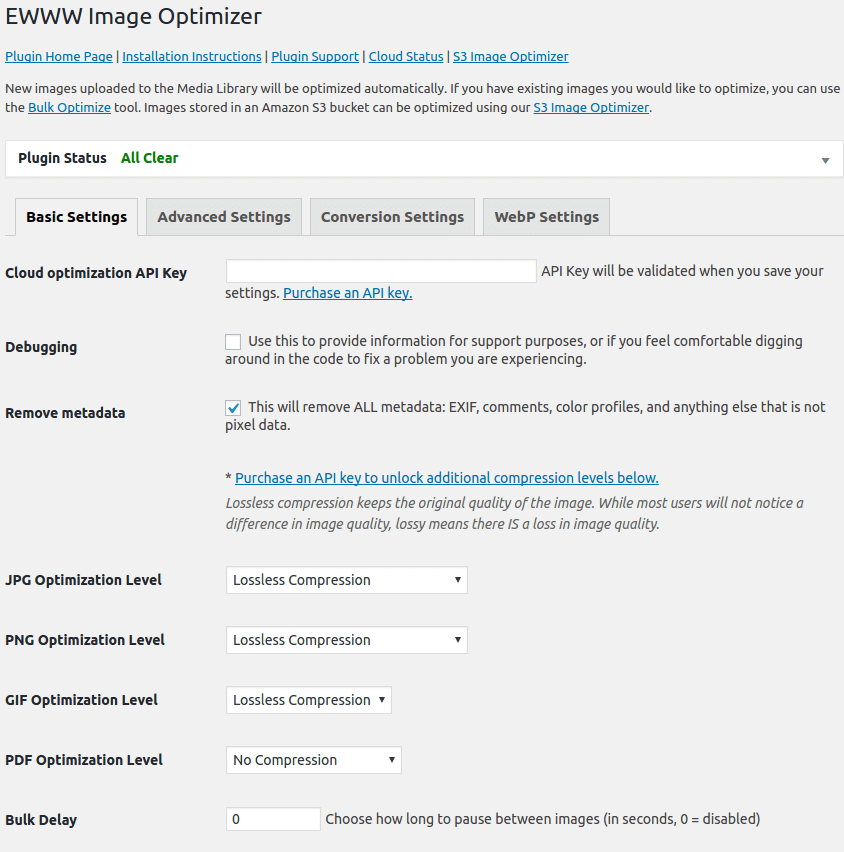
Configuring EWWW Image Optimizer
After you install the EWWW Image Optimizer plugin, you can configure it. To do this, follow these steps:
- Log in to your WordPress site as the administrator.
- In the left-hand pane, click Settings, and then click EWWW Image Optimizer. The EWWW Image Optimizer Settings page appears.
- Review the settings on the settings page, and then click .
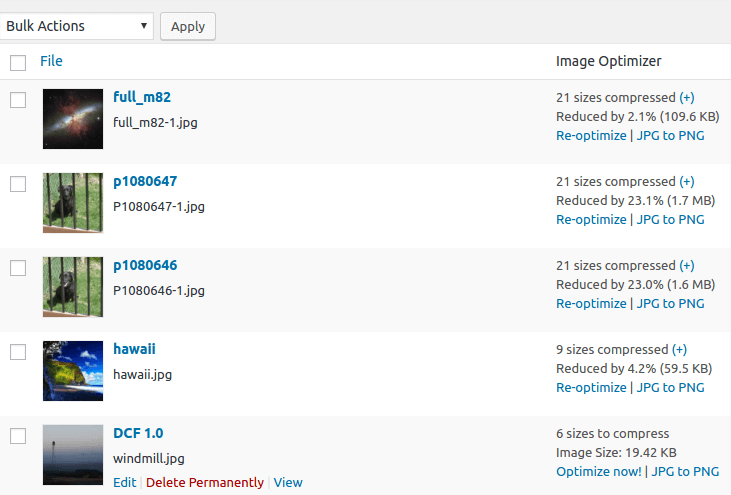
Optimizing existing images
By default, the EWWW Image Optimizer plugin optimizes any new images that you upload. You must manually optimize existing images, however. To do this, follow these steps:
- Log in to your WordPress site as the administrator.
- In the left-hand pane, click Settings, and then click EWWW Image Optimizer. The EWWW Image Optimizer Settings page appears.
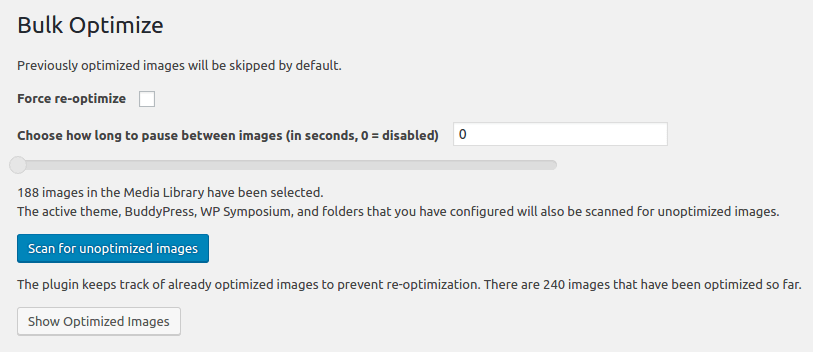
- Click the Bulk Optimize link.
- Use the Choose how long to pause between image slider to select an interval (in seconds) between each image optimization.
- Under Optimize Media Library, click Start optimizes. EWWW Image Optimizer provides progress updates as it optimizes images.
- To optimize additional image files, such as those in themes and other plugins, click .
- To view which files have been optimized, click .
Why use EWWW Image Optimizer?
- No Speed Limits and unlimited file size.
- Smooth Handling with pixel-perfect optimization using industry-leading tools and progressive rendering.
- High Torque as we bring you the best compression/quality ratio available with our Premium compression for JPG, PNG, and PDF files.
- Adaptive Steering with intelligent conversion options to get the right image format for the job (JPG, PNG, GIF, or WebP).
- Free Parking The core plugin is free and always will be. However, our paid services offer up to 80% compression, and a host of other features!
- Comprehensive Coverage: no image gets left behind, optimize everything on your site, not just the WordPress Media Library.
- Safety First: all communications are secured with top SSL encryption.
- Roadside Assistance: top-notch support is in our DNA. While API customers get top priority, we answer every single support question with care.
- Pack a Spare: free image backups store your original images for 30 days.
